CM Punjab Asaan Karobar Exports/SME | Eligibility Criteria | Application Process

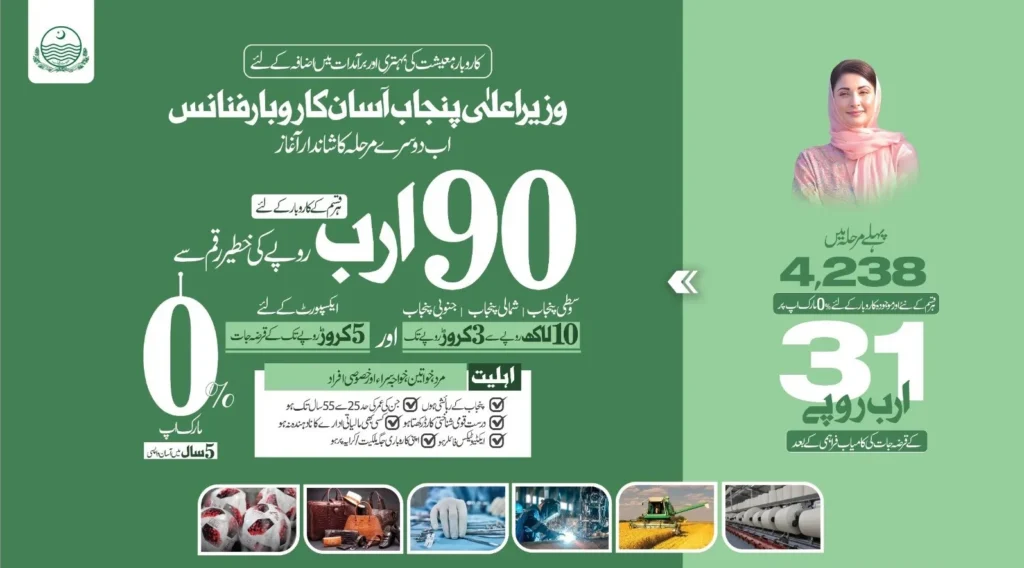
The Government of Punjab has launched Phase 2 of the Asaan Karobar Finance Scheme. In this phase, the Punjab residents can apply for loans for Finance and Exports/SME separately, depending upon the nature of their businesses. In Export/SME, applicants/exporting business owners can apply for a loan amount of up to 50 million PKR. Below is the complete step-by-step application process with eligibility criteria and other information. 

CM-Punjab's-Asaan-karobar-Exports-SME
0%

Markup Rate

5 Years

Loan Tenure

Up to 50 Million

Loan Amount

CM-Punjab-Asaan-Karobar-Exports/SME-Infographics

Instructions to Apply for Asaan Karobar Finance Exports/SME

Please ensure to have scanned copies or clear, visible pictures of the following documents ready before starting your application:

  • Passport Size Picture / Selfies
  • CNIC – Front Side
  • CNIC – Back Side

Please ensure the following before applying to Asaan Karobar Finance Exports/SME
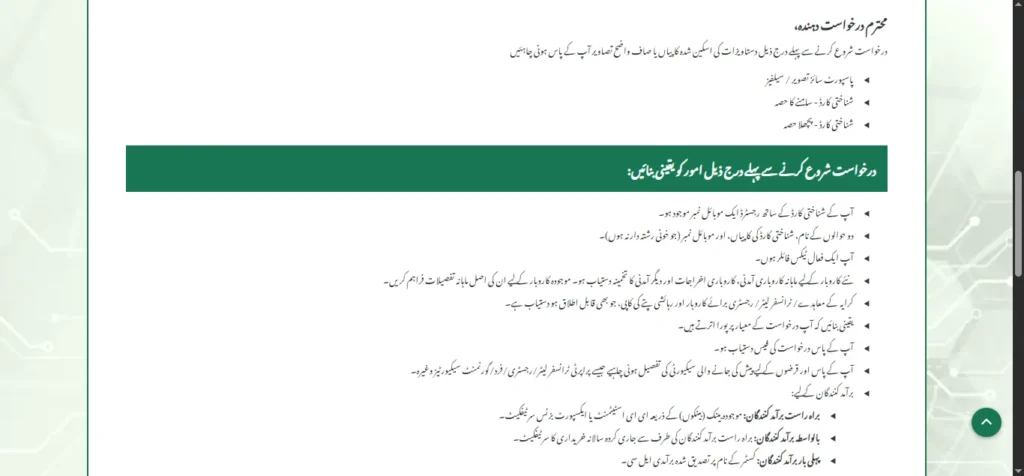
  • A mobile number registered with the applicant’s CNIC.
  • Name, mobile numbers, and CNIC copies of two references (they must not be blood relatives).
  • You must be an active Tax Filer.
  • Provide business income and expenses details as applicable.
  • Copy of Registry for Business and Residence Addresses,/Transfer Letter/ Rent Agreement, whatever is applicable.
  • Ensure you meet the eligibility criteria (given below).
  • Ensure you have the application fee.
  • You must have the details of the Security to be offered, such as Property Transfer Letter/Fard/Registry/Government Securities, etc.
  • For Exports:
  • If Direct Exporters: EE Statement or Export Business Certificate by existing bank(s).
  • If 1st Time Exporters: Confirmed export LCs in the customer’s name.
Instructions-to-Apply

Guidelines for Application Submission
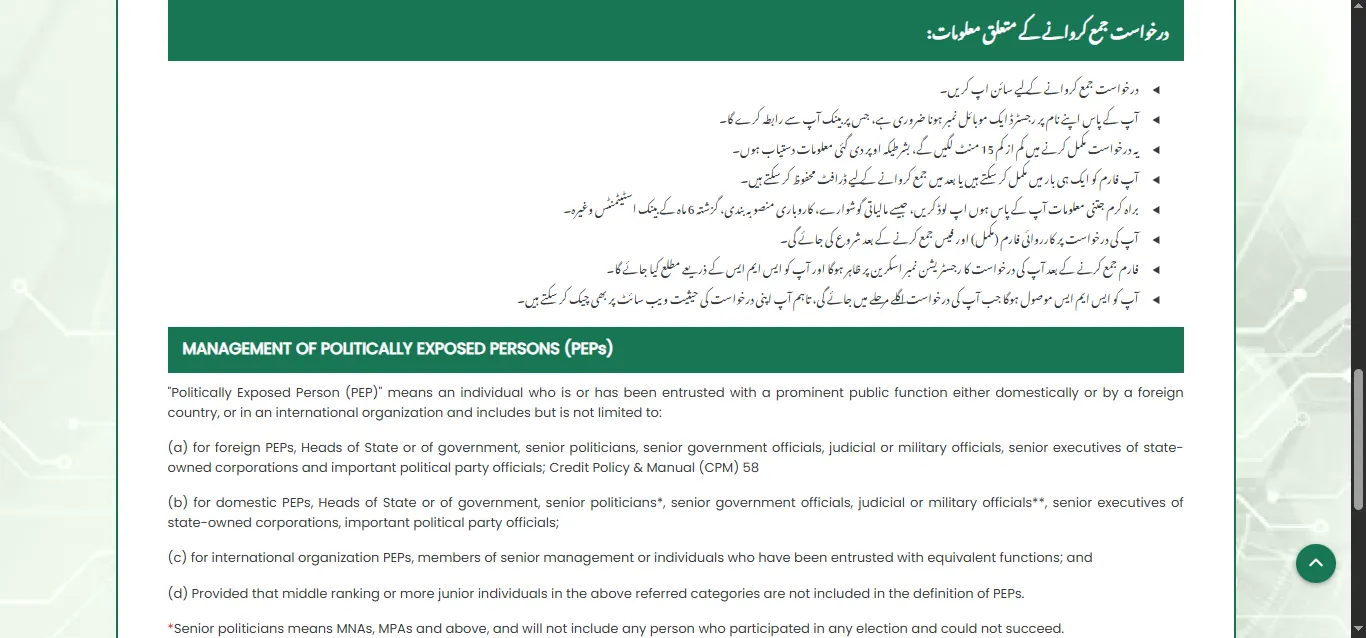
  • Please sign up to start and submit the application (if you have applied before, simply sign in).
  • Ensure you have a mobile number registered in your name to start the application.
  • This application could take 15-20 minutes to complete, depending on the availability of required documents.
  • You can complete the form in one go or save a draft for later submission.
  • Please upload as much information as possible other than required (e.g., Financial Statements, Business Feasibility, etc.).
  • Processing of your application will begin after you submit the complete form and deposit the fee.
  • Once submitted, your application registration number will appear on the screen and will also be sent via SMS to your provided phone number.
  • You will receive updates via SMS or check the application status on the website.
Guidelines-for-Application-Submission

Note: You can also read more about the Management of Politically Exposed Persons (PEPs) before starting the application process.

Required Documents to Apply for Asaan Karobar Finance Exports/SME

  • Passport Size Picture / Selfie*
  • CNIC – Front & Back Side*
  • Account Statements (1-2 Years) if applicable
  • Recent Tax Return
  • Any other Business Related Documents
  • Audited Financials / Projected Financials, if applicable*
  • Copies of the Last 2 Tax Returns of the Borrowing Entity and Directors / Partners*
  • Feasibility Report*
  • Copy of Licence to drive Commercial Vehicle (for Logistics Only)
  • Bank Statements

Note: The documents with an asterisk (*) sign are mandatory to upload; otherwise, your application will not be submitted. Please upload as much information as possible, other than what is required. 

Eligibility Criteria for Asaan Karobar Finance Export/SME

  • Anyone is eligible, including males, females, and others.
  • You must be a resident of Punjab.
  • Age Limit: 25-55 years.
  • Active FBR tax filers with a clean credit history.
  • Residence and business located in Punjab.
  • Valid CNIC and NTN.
  • Must own/have rented the place of the existing business.

Apply for Asaan Karobar Finance Exports/SME Online

Below is the complete step-by-step process to apply for the Asaan Karobar Exports/SME Finance Scheme:

Step 01: Click the “Apply” Button

  • Click the “Apply for Asaan Karobar Finance Scheme Exports/SME” button given at the top.
  • Read the important instructions and guidelines before starting the application process.
  • Click the “Acknowledge & Proceed” button provided at the bottom.

Step 02: Provide Applicant’s Details

  • First of all, select the “Export/SME” from the Scheme Types section at the top. Please ensure that you choose the suitable scheme type; otherwise, you may face difficulties in the future. 
  • Then you have to provide the applicant’s details, including Applicant’s Name, Father/Husband Name, CNIC details, Email Address, Date of Birth, Age, Mother’s Maiden Name, and Applicant’s Gender.
  • If you have any disability (verified by CNIC), select the disability type; otherwise, select “No”.
  • Then, you will enter your mobile number (registered on your CNIC) with other mobile network details.
  • Next, you will provide information about your residential address along with the selection of your division, district, tehsil, and city.
  • Lastly, you will provide other details, including NTN number, Residence ownership status, and whether you’re a PEP. Then, enter the password that you want to choose for your application portal.
  • Enter the “Captcha” and click the “Register” button.
Guidelines-for-Application-Submission

Note: Please skip this step if you have applied in the previous phase and have an account. 

Step 03: Login

  • After clicking the “Register” button, you will be navigated to the “Login” page.
  • Here, you will enter your CNIC number along with the password you have entered. 
  • Enter the captcha and click on the “Login” button.
  • After logging in, you will navigate to the 
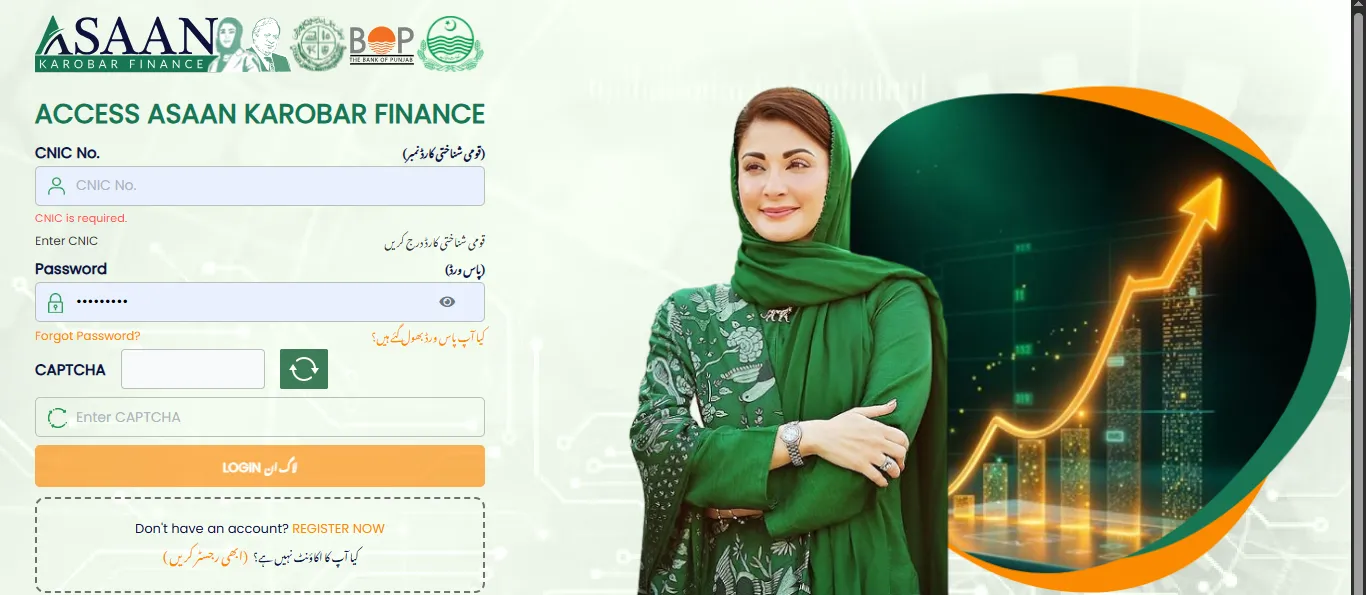
Login

Step 04: Profile Information

  • After logging in, you will navigate to the application. 
  • In the first section, you will be asked to provide the applicant’s information. However, we also have provided it before (in Step 02). 
  • Just scroll down and click “Save and Next” to proceed to the next section.

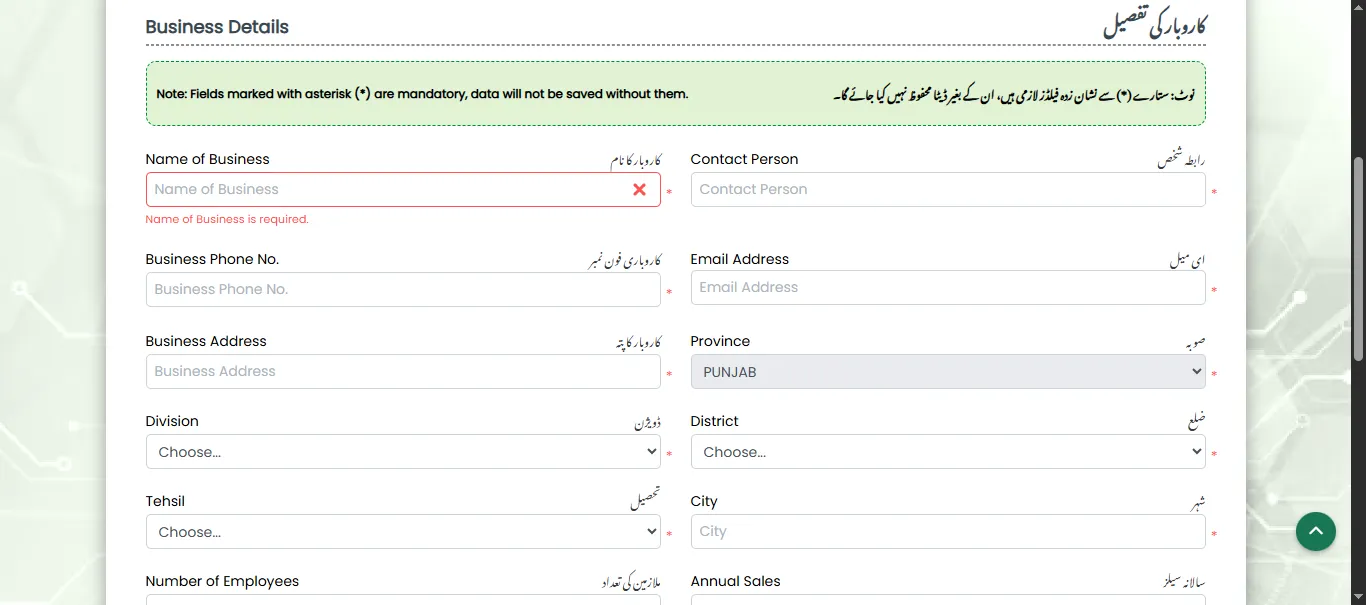
Step 05: Business Details

  • In this section, you have to provide business information.
  • Please enter your Business Name, Contacts, Email, No. of Employees, and Business Address with the selection of city, district, tehsil, and division of business location.
  • Moreover, you will also provide details about Annual Exports, Annual Sales, Ownership of Business Premises, and Business Registration Number. 
  • Lastly, you will enter your National Tax Number and Registration Authority along with the PRA Registration status. 
  • Give brief details about the business and click “Save & Next” to proceed. 
Business-Details

Step 06: Loan & Financial Details
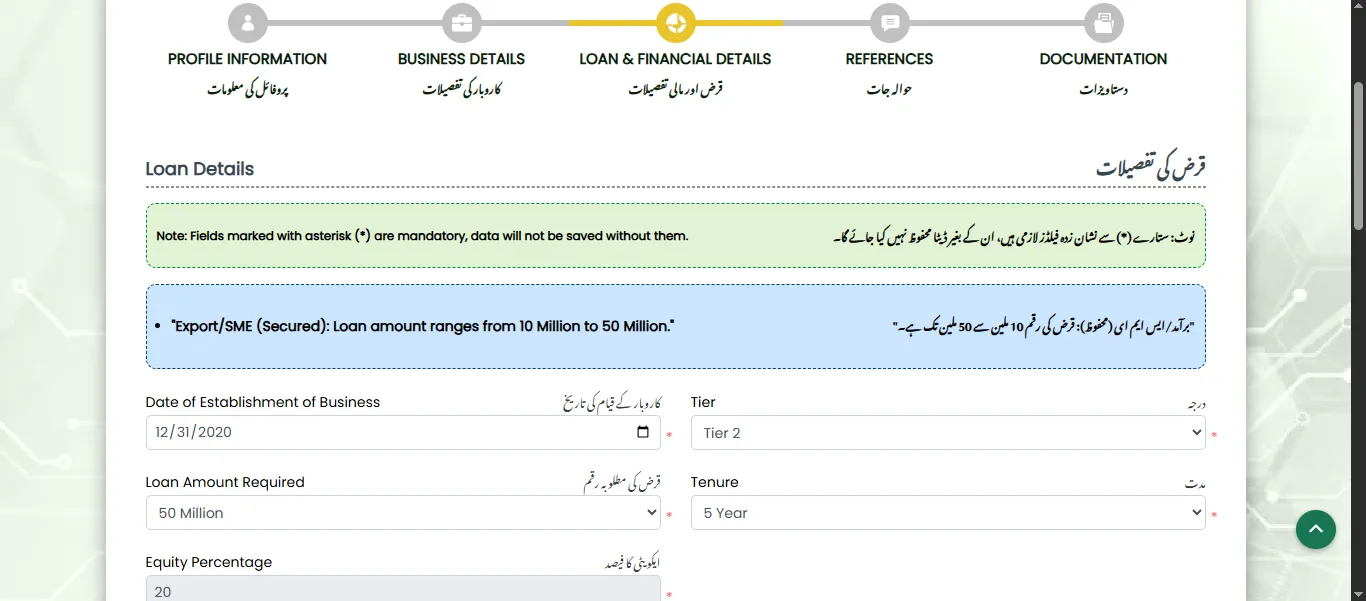
  • In this section, you will provide information about the loan type you want to apply for.
  • First, enter the date of establishment of your business.
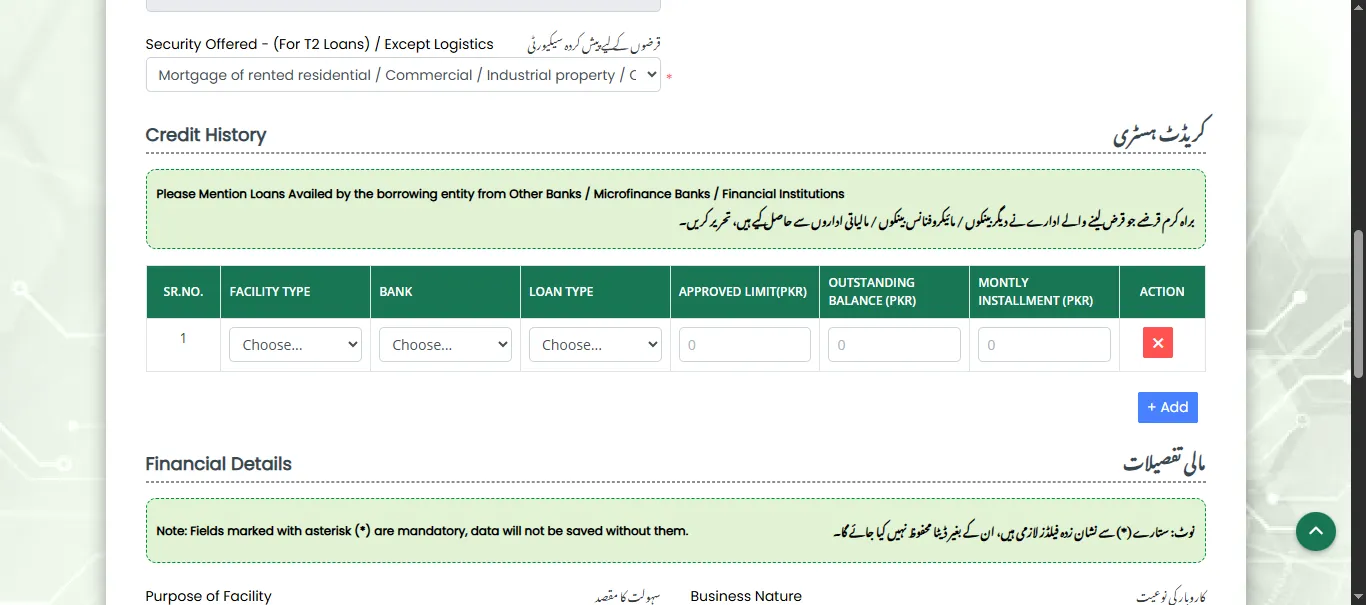
  • Then, select the Loan Tier, Loan Tenure, Loan Amount Required, and the Security Offered details. 
Loan-Details
  • In the “Credit History” section, you will provide details of any other loans that you have availed from Other Banks/Microfinance Banks/Financial Institutions.
Credit-History
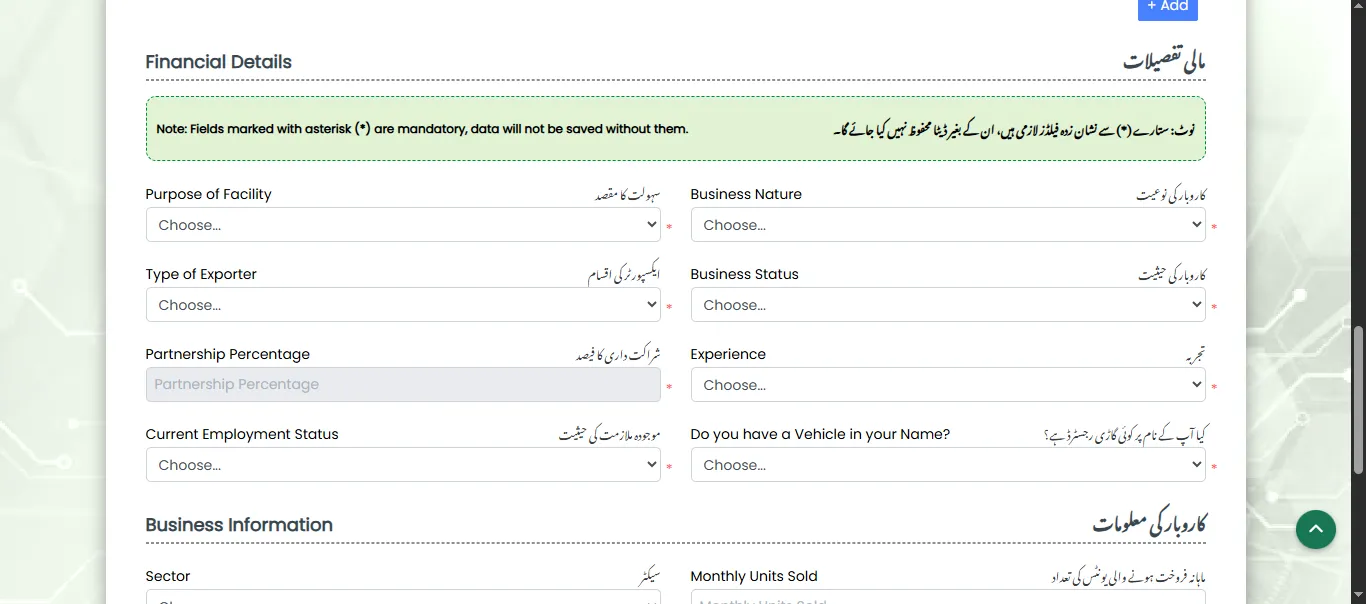
  • Below in the “Financial Details” section, select your Purpose of facility, Business Nature, Type of Exporter, Business Status, along with Current Employment Status, Experience, and Vehicle Status selection. 
Financial-Details
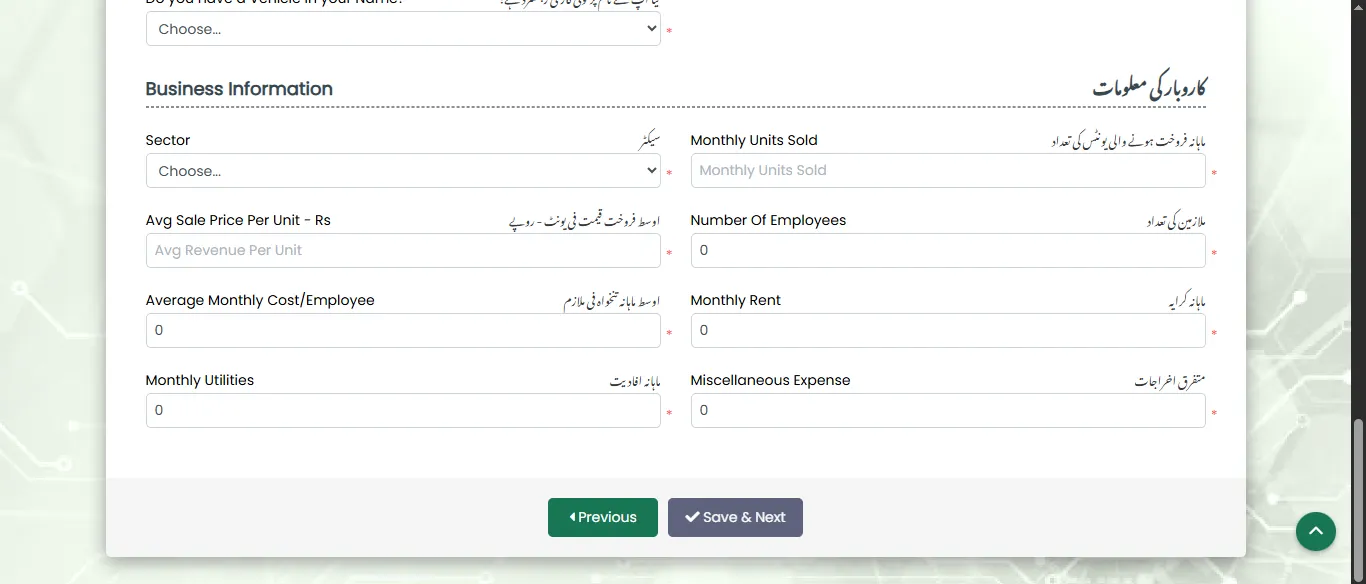
  • In the last section of “Business Information,” you will provide details about the business. It includes Business Sector, Monthly Units Sold, Average Sales & Costs, No. of Employees, Monthly Utilities, and Rent.
Business-Information
  • Click “Save & Next” to proceed.

Step 07: References

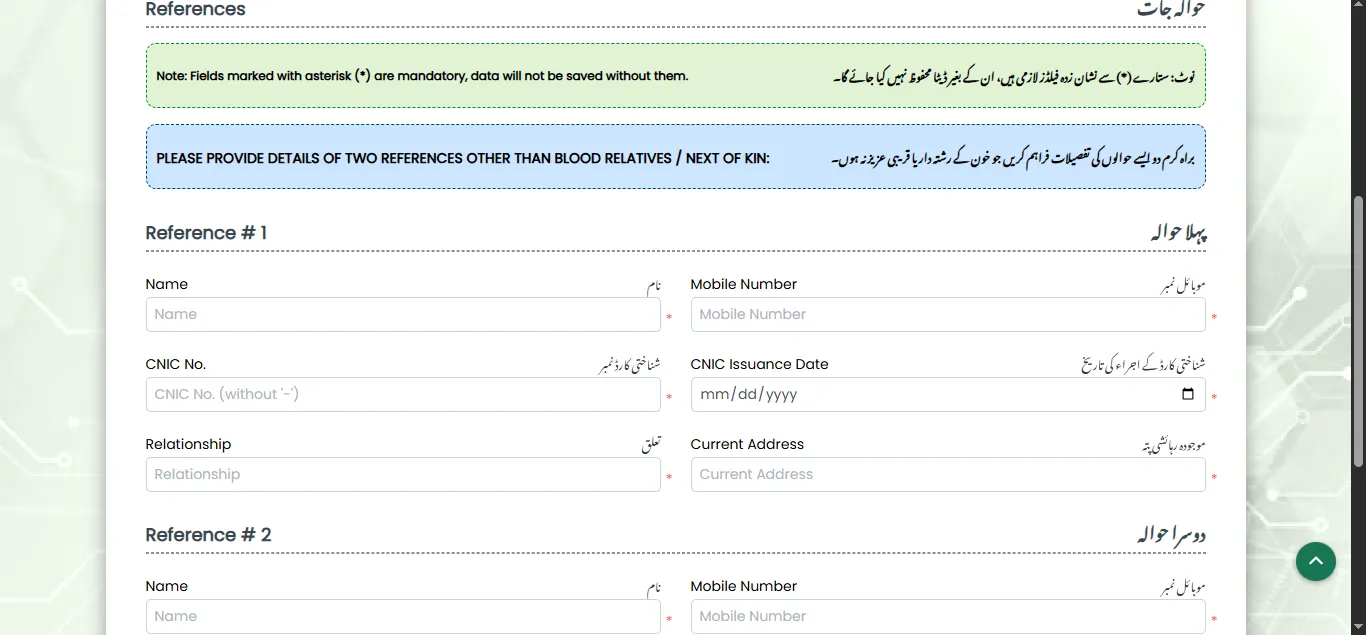
  • In this section, you will enter the details of your two references.
  • You will provide their Names, Mobile Numbers, CNIC details, Relationship Type, and Current Address. 
  • Click “Save & Next” to proceed to the final section of the Asaan Karobar Finance Scheme Export/SME application.
References

Step 08: Documentation

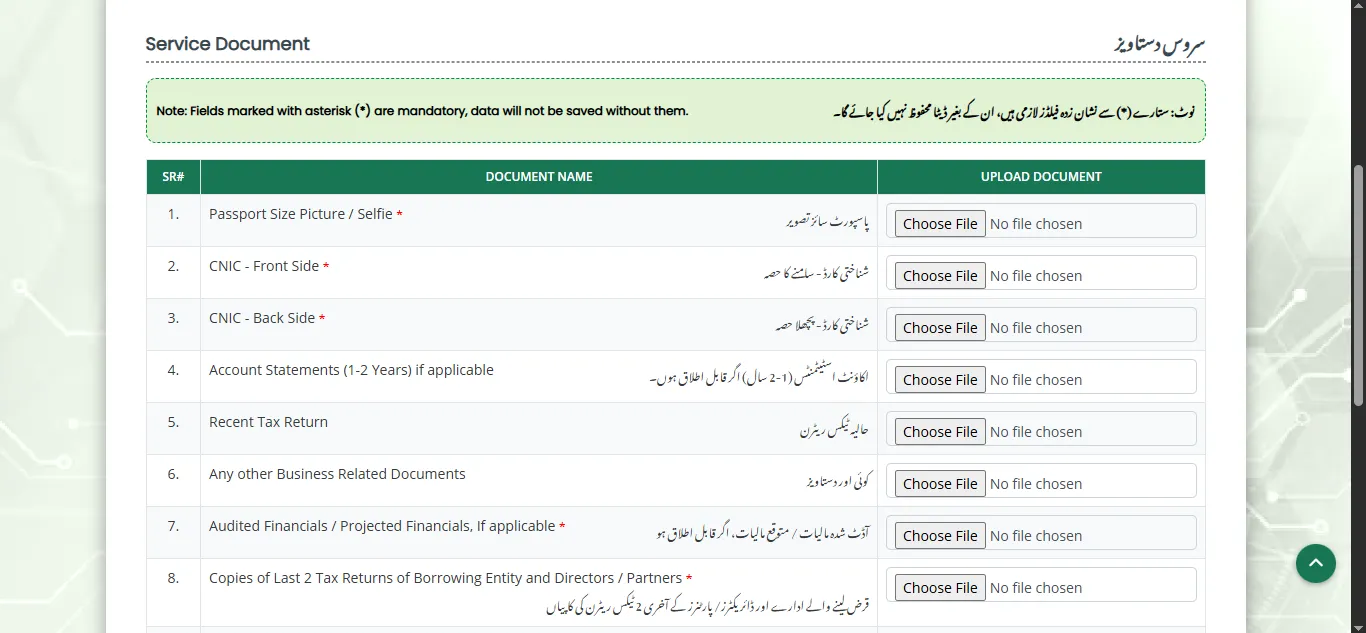
  • In this section, you will upload what is required and what you can upload.
  • The required documents include Passport-size pictures of the applicant, CNIC (back and front), Copies of the Last 2 Tax Returns of the Borrowing Entity and Directors/Partners, Feasibility Report, and Audited Financials/Projected Financials, if applicable. 
  • The other documents that you can upload include Account Statements, Recent Tax Return,  Copy of Licence to drive Commercial Vehicle (for Logistics Only), Bank Statements, and any other Business Related Documents.
  • After uploading the documents, click on the “Submit” button to submit your application successfully.
  • A PSID number will be generated that you can check in your portal. Submit the application fee, after which your application processing will begin.  
Documentation

Note: Application processing will begin after submitting the application fee.

Helpline Number

Helpline Number
Helpline Number : 1786

Also Check: How to “Submit a Complaint for Asaan Karobar Finance Scheme.”

Related Posts